
The Apple Butterfly Keyboard: The Keyboard That Turned a Sandwich Crumb Into an $800 Repair Bill
How Apple spent four years shipping MacBooks that could be disabled by a single grain of sand, a flake of skin, or an ambitious piece of dust
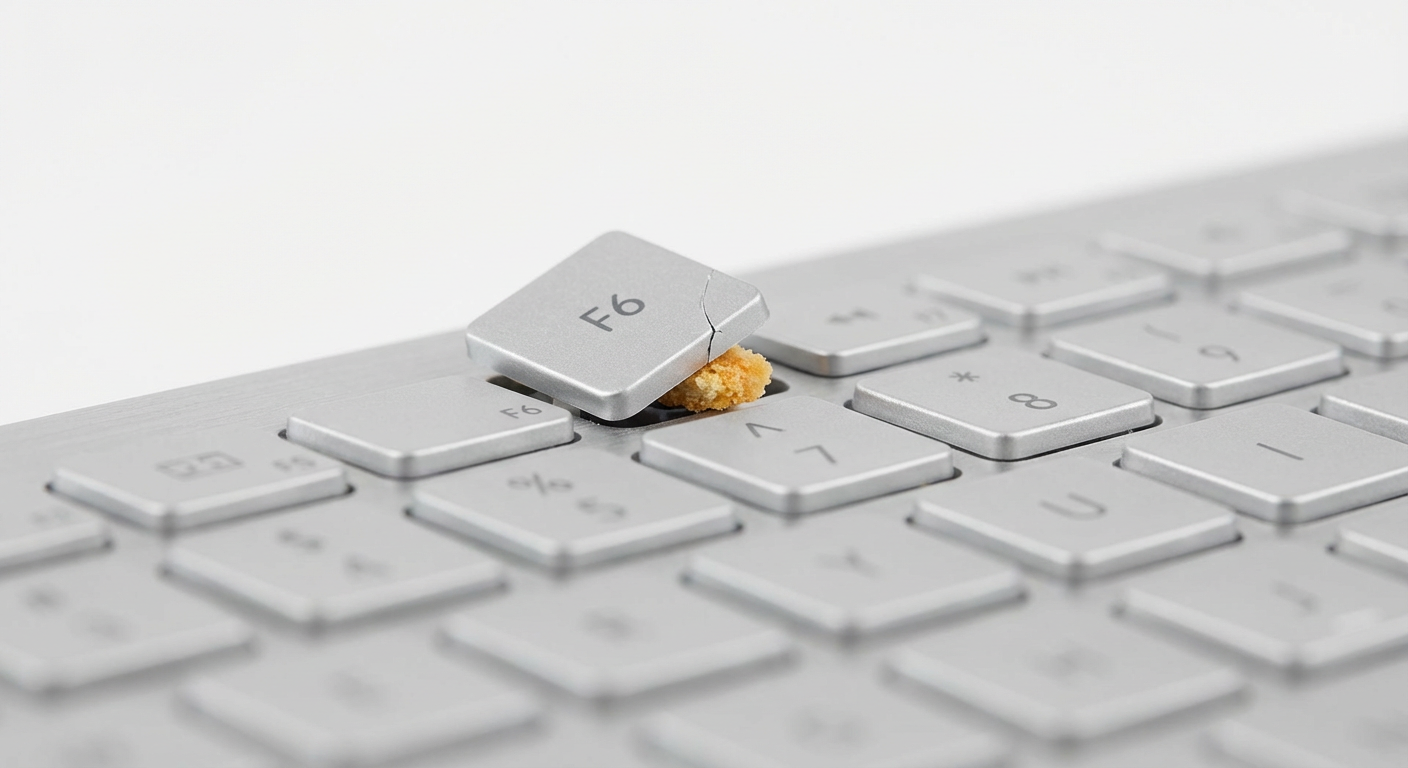
In 2015, Apple introduced the butterfly keyboard mechanism across its MacBook line. The butterfly switch was thinner than the traditional scissor switch, which allowed Apple to make thinner laptops. This was Apple's priority: thinness. Not reliability. Not durability. Not the fundamental ability of a keyboard to register the letter "E" when you press the letter "E." Thinness.
The butterfly mechanism worked by using a wider, flatter key switch that distributed force evenly across the keycap. On paper, this produced a more stable, more responsive typing experience. In practice, it produced a keyboard so catastrophically fragile that a single crumb, a grain of sand, or a flake of dead skin could lodge beneath a key and render it permanently stuck, repeating, or dead.
For four years — 2015 through 2019 — Apple shipped every single MacBook with this keyboard. Every MacBook. Every MacBook Pro. Every MacBook Air. Millions of keyboards. Millions of keys waiting to be assassinated by a particle of toast.
The resulting class-action lawsuits, repair programs, and customer fury represent one of the longest-running design failures in Apple's history. A company whose entire identity is built on things that "just work" spent four years selling keyboards that just didn't.
The Vision: Thinness Above All Things, Including Functionality
Apple's obsession with thinness is well-documented and occasionally rational. Thinner phones are lighter. Thinner tablets are more portable. Thinner laptops are more elegant.
But there is a thickness below which a keyboard becomes a liability, and the butterfly keyboard found it with the precision of a company that measures everything in microns and nothing in common sense. The mechanism was 40% thinner than the scissor switches it replaced. The keys had almost no travel — the distance a key moves when pressed. Typing on it felt like tapping on a hard countertop with your fingertips. The sound was a sharp, loud click that turned every MacBook user in a coffee shop into a percussionist nobody asked for.
The thinness came with a trade-off so severe that it deserves its own warning label: the butterfly mechanism had effectively zero tolerance for debris. Scissor switches have enough space for small particles to enter and exit without affecting performance. The butterfly switch had no such space. A crumb entered and stayed, wedging itself under the keycap with the permanence of a regrettable tattoo. The key would begin to repeat — typing "thee" instead of "the" and "helllo" instead of "hello" — or stop working entirely.
The fix, according to Apple, was to hold the laptop at a 75-degree angle and blast compressed air under the keys. This is the technical support equivalent of telling someone whose car won't start to try pushing it downhill.
The Glorious User Experience
Chris from San Francisco, CA — ★☆☆☆☆
"I'm a software developer. I use my keyboard approximately eight hours a day. My E key stopped working three months into owning a $2,799 MacBook Pro. Not intermittently — completely. Dead. The letter E. The most common letter in the English language. My MacBook Pro could no longer type the word 'the' without an external keyboard. Apple told me to try compressed air. I tried compressed air. The compressed air did not fix my E key. Apple then told me the repair would cost $700 because the keyboard is fused to the top case. Seven hundred dollars. For a key. For the letter E."
Maria from Chicago, IL — ★☆☆☆☆
"I ate a granola bar near my MacBook Air. Near it. Not over it. Near it. A single oat flake — one oat — migrated from my granola bar to my laptop keyboard and killed the spacebar. The most important key on the entire keyboard, murdered by a single oat. I took it to the Genius Bar. The genius told me, 'Yeah, these keyboards don't like crumbs.' My brother, I paid $1,299 for this laptop. It should tolerate the existence of food within a three-foot radius."
James from New York, NY — ★☆☆☆☆
"The real indignity is the typing sound. Every keystroke on the butterfly keyboard sounds like a tiny plastic gunshot. An entire office of MacBook users sounds like a very small and very persistent war. When my R key started double-typing — so every 'r' became 'rr' — my emails read like I'd suddenly become a pirate. 'Rregarrding yourr rrequest forr a meeting.' I was a corporate attorney. This was not the professional image I was cultivating."
Priya from Seattle, WA — ★☆☆☆☆
“This was Apple's priority: thinness”
Click to Tweet"Apple released FOUR generations of the butterfly keyboard between 2015 and 2019. Each one was supposed to fix the problems of the last. The third generation added a silicone membrane under the keys to keep debris out. It didn't work. They shipped a known-broken keyboard design for four years and each year's fix was a differently shaped band-aid on the same fundamental wound. My 2018 MacBook Pro had the membrane. My B key still died. The membrane was no match for the crumb."
The Truth: Four Years, Four Generations, Zero Solutions
The butterfly keyboard debacle is unusual because Apple didn't just make one mistake. They made the same mistake four years in a row, each time insisting they'd fixed it, each time failing. The timeline is a monument to institutional denial.
2015: First-generation butterfly keyboard ships in the MacBook. Users report sticky and unresponsive keys. Apple does nothing.
2016: Second-generation butterfly ships in the MacBook Pro. Slightly different mechanism. Same debris problems. Users report increasing failures. Apple does nothing.
2018: Third-generation butterfly adds a silicone membrane barrier. Apple does not acknowledge the membrane is there to address a known defect. Debris problems continue. Users file class-action lawsuits in multiple states. Apple launches a free Keyboard Service Program, acknowledging — obliquely, in the way Apple acknowledges things — that the keyboards are defective.
2019: Fourth-generation butterfly ships in the MacBook Air and entry-level MacBook Pro with "new materials" in the switch. Same problems. Apple finally, mercifully, begins shipping MacBooks with scissor switches again in late 2019.
The repair situation was particularly infuriating because the butterfly keyboard was integrated into the MacBook's top case — the entire palm rest and keyboard assembly. Replacing a single dead key required replacing the entire top case, a repair that cost $600-800 out of warranty. A keyboard that could be killed by a crumb required an $800 repair. The repair cost more than many complete laptops from other manufacturers.
Apple settled a class-action lawsuit in 2022, agreeing to pay up to $395 per affected customer — roughly half the cost of one repair for a keyboard that many users needed repaired multiple times.
The butterfly keyboard is now extinct. Every current MacBook uses a redesigned scissor-switch keyboard that Apple calls the "Magic Keyboard," which is a name that implies the previous four years of keyboards were performed without magic, using only suffering and compressed air.
The Verdict
The Apple Butterfly Keyboard is the rare product failure that happened in plain sight, to millions of people, for four consecutive years, from a company with the resources to fix it at any point. It is a monument to the specific Apple pathology of prioritizing aesthetics over function — of making a keyboard thinner even if it means the keyboard stops working when exposed to the kind of microscopic debris that exists in every environment where humans use keyboards.
The butterfly keyboard turned eating near your laptop into an act of sabotage, turned compressed air into a maintenance ritual, and turned a $2,799 professional tool into a machine that couldn't reliably type the word "the."
Apple fixed it. Eventually. After four years, multiple class-action lawsuits, a service program, and an incalculable amount of customer frustration. The current MacBook keyboards are excellent. But somewhere in a landfill, there are millions of butterfly mechanisms entombing the crumbs that killed them, like tiny amber fossils preserving the moment Apple forgot that keyboards need to work.
We rate it 1 out of 5 functioning E keys.
If you want to type words that contain all the letters you intended, see our alternatives below.
---
✅What to Buy Instead
MacBook Pro M4 (2024+)
Apple's current MacBooks with redesigned scissor-switch keyboards that survive contact with the physical world. The E key works. Confirmed.
Keychron Q1 Max
Premium mechanical keyboard with hot-swappable switches, wireless connectivity, and keys that can withstand an entire sandwich.
Logitech MX Keys S
Best wireless productivity keyboard with smart backlighting and multi-device support. Crumb-resistant by virtue of not being insane.
About the Author

Nick Irmo
Founder, Chief Reviewer & Professional Disappointment Connoisseur
Nick Irmo is the founder and head reviewer at No Want This, where he reviews the world's worst products with the enthusiasm of a man who has been personally wronged by consumer goods. He believes every terrible product has a story worth telling, every story deserves to be funny, and every reader deserves to know what NOT to buy before they learn the hard way. His work has been described as "Wirecutter if Wirecutter hated everything" — a comparison he considers the highest possible compliment.
Comments
Sign in or create an account to join the discussion.